


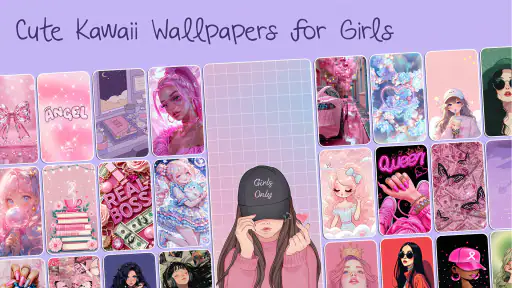
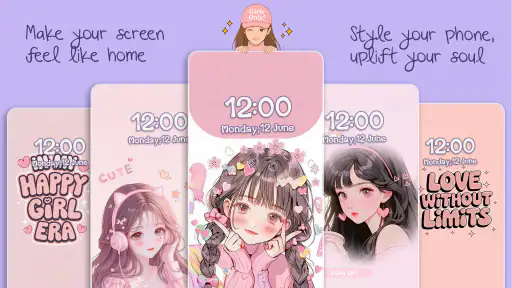
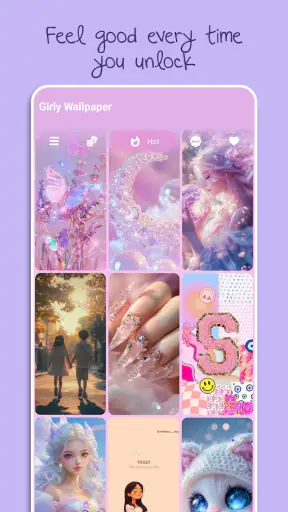
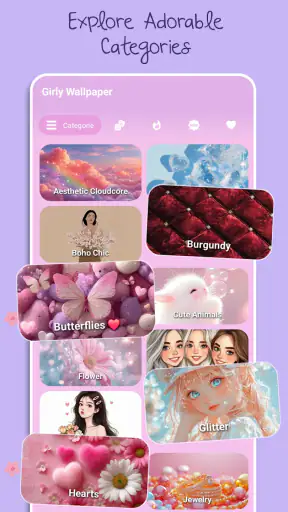
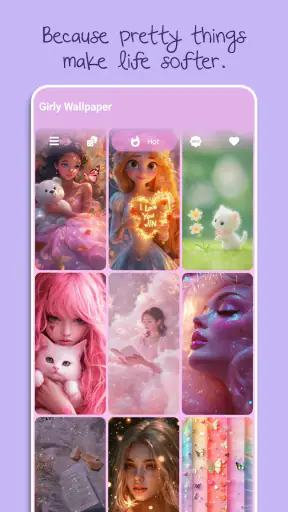
I tried Cute Wallpapers for Girls as a simple personalization app rather than expecting a full phone-customization suite, and that distinction matters. Its main job is to help you refresh the look of your Android screen with cute, aesthetic wallpaper choices, especially if you prefer soft, playful, or feminine visual styles. I found the experience most appealing when I wanted a quick change without spending time designing an entire theme from scratch.
The app comes from DictionaryAndTranslator and is free to start. It is listed for everyone, so the presentation is approachable for younger users as well as adults who enjoy decorative home screens. Its audience is clearly focused: this is not a general wallpaper library trying to cover every possible taste. It is aimed at people who want a more cheerful, coordinated, and visibly cute phone.
What using the wallpaper library feels like
The first useful thing to understand is the app’s scope. Cute Wallpapers for Girls is a wallpaper discovery tool, not a launcher, icon pack, widget builder, or complete theme editor. That makes it easy to approach, but it also means the result depends on what you already use for icons and widgets. The app can change the visual foundation of your screen; it does not automatically turn every part of the interface into one matching design.
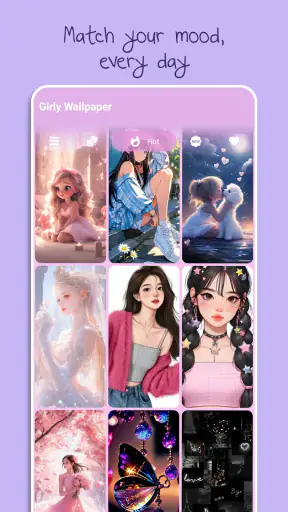
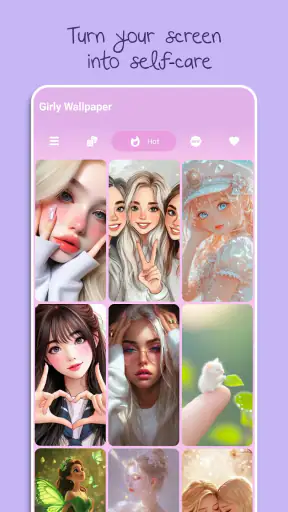
I like that focused approach for quick personalization. If I am bored with a plain background, I do not necessarily want to rearrange icons or learn a complicated editor. A wallpaper app can solve that small problem in a few moments. The visual direction also makes it easier to decide what to browse: instead of searching through unrelated landscapes, sports images, abstract art, and photographs, I can stay within a cute aesthetic and look for something that fits my mood.
The store information describes the app as a free personalization app, and its current version is 4.7. It has reached more than a million installs and carries an average rating of 4.8 from roughly fifteen thousand ratings. Those figures suggest that the basic idea connects with a substantial audience, although popularity should not be confused with a perfect fit for every phone or personal style.
In practical use, I would begin by deciding which screen needs the wallpaper. A busy image may look attractive while browsing but become distracting behind rows of icons. A lighter or simpler design is usually better for the home screen, while a more detailed image can work on the lock screen if notifications and clock elements do not cover the important parts. This is one of the app’s less obvious trade-offs: the prettiest preview is not always the most usable background.
Network-dependent browsing changes the rhythm
The strongest connectivity-related part of the experience appears when browsing and loading wallpaper choices. A wallpaper library is much more enjoyable when images appear promptly, but the process can feel less immediate on a weak mobile connection. I would not treat the app like a tool that must be available in every situation. It is better suited to choosing a background while connected, then enjoying the result after it has been applied.
This matters if you are shopping for a wallpaper during a commute, in a crowded public place, or in a building with unreliable reception. A preview that has not finished loading can interrupt the decision-making process, especially when you are comparing several similar pastel or decorative designs. My advice is to browse when the connection is stable rather than repeatedly tapping through options while the network is struggling.
There is also a practical difference between opening a previously selected image and continuing to discover new ones. Once a wallpaper is already on the phone, looking at the finished home screen is a local, everyday action. Finding more choices is the part most likely to depend on a working connection. That separation helps set expectations: the app is most valuable as a connected discovery experience, not as a guaranteed replacement for a gallery of files already stored on the device.
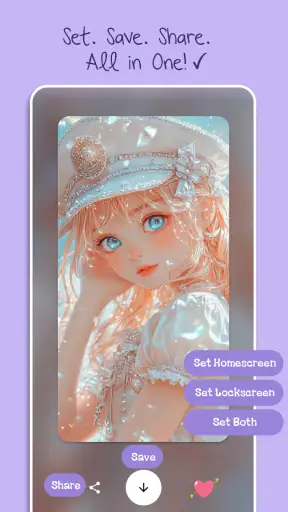
I would also avoid making a final choice solely from a small preview. Network delays can make it tempting to select the first image that loads, but the wallpaper’s real success depends on how it interacts with your icons, folders, clock, and notification text. If the app lets you inspect a larger view before applying an image, I would use that moment carefully. A few extra seconds of checking can prevent a background that looks cluttered once it is actually in place.
Useful in ordinary mobile situations
A realistic use case is a short personalization break at home. I might have a few minutes before leaving, open the app over Wi-Fi, browse a handful of designs, and choose one that suits the season or my current mood. Because the app concentrates on cute wallpaper styles, I can make a visible change without searching through a much broader catalog. That is where it feels more convenient than using a general image search.
It can also work well after buying a new phone or resetting an old one. The default background often feels impersonal, and a decorative wallpaper gives the device some character immediately. However, I would avoid changing the background repeatedly while setting up other apps. It is easy to spend more time comparing nearly identical designs than the small customization is worth. Choosing a color family first—pink, lavender, light blue, neutral, or something similarly specific—makes browsing more efficient.
For a tablet or a phone with a large display, composition becomes more important. An image that looks balanced on a narrow screen may place its main decoration beneath icons or leave an awkward empty area on a wider layout. I would check the crop before committing, particularly when the design has text, faces, bows, characters, or other details that need to remain visible.
The app is also a reasonable choice for someone who changes wallpapers often but does not want to maintain a personal collection. Its appeal is less about deep control and more about reducing the effort between “I want a different look” and “this feels like my phone again.” That convenience is strongest when your expectations match the app’s narrow purpose.
Where the experience can break down
Connectivity problems are the most obvious source of friction during discovery. If previews load slowly or fail to appear, the app becomes difficult to judge because wallpaper selection is so visual. I would first check whether other apps are also struggling, then switch between a reliable Wi-Fi connection and mobile data if appropriate. Closing and reopening the app may also help after a temporary loading problem, but I would not repeatedly retry a failed action if the network itself is unavailable.
Recovery is easier when you make decisions in small batches. Instead of browsing endlessly and trying to remember every favorite, I would select one promising image, inspect how it looks with the phone’s existing icons, and only then continue. This reduces the frustration of losing track of a design after a loading interruption. It also prevents accidental overuse of mobile data from repeatedly loading images that you will never apply.
Another possible frustration is the difference between app content and system behavior. Applying a wallpaper may still involve the phone’s own wallpaper controls, cropping behavior, or screen-specific choices. If the final image appears zoomed, shifted, or assigned to a different screen than expected, that does not necessarily mean the artwork itself is poor. I would check the device’s preview and placement options before rejecting the image.
Users should also be prepared for the possibility that a free app may include optional purchases. Cute Wallpapers for Girls is free, but its in-app purchase range runs from $0.99 to $99.99 per item. That is a wide range, so I would pay attention to any purchase screen and avoid tapping through quickly just to dismiss an interruption. If you only want occasional wallpaper changes, the free starting point may be enough; if you expect access to every possible option, review each prompt before spending money.
Keeping wallpaper browsing sensible on mobile data
Wallpaper images can be visually simple while still requiring repeated loading during browsing. If I were using a limited mobile plan, I would do the exploratory part over Wi-Fi and avoid scrolling through large numbers of previews when away from home. The most data-conscious workflow is to browse selectively, pause when an image catches my attention, and apply only the designs I genuinely want to keep.
I would also avoid opening the app merely to look at the same background already in use. The value comes from discovering a new design, so opening it repeatedly without a clear goal can create unnecessary loading. A small personal routine works better: browse when connected, choose a wallpaper, check it against the home screen, and leave the app until you actually want another change.
There is a useful visual reason to be selective too. Changing wallpapers too frequently can make the phone feel less coherent, particularly if your icons and widgets have strong colors of their own. I prefer to choose a background that supports the rest of the screen rather than treating every attractive preview as a reason to switch. This turns the app from a source of endless scrolling into a practical personalization tool.
If your phone has limited storage, I would pay attention to what you keep after applying a wallpaper. A wallpaper app is not automatically a full image-management system, and retaining many near-identical designs can make your gallery harder to organize. Keeping only the backgrounds you truly like makes future changes easier and avoids turning a small customization habit into digital clutter.
Who will enjoy it, and who should choose something else
I would recommend Cute Wallpapers for Girls to someone who wants a clearly cute visual identity and prefers ready-made designs over creating wallpapers manually. It is especially suitable for quick home-screen refreshes, gift phones, new-device setup, and anyone who finds broad wallpaper apps too unfocused. The age rating of Everyone also makes its presentation broadly accessible, though individual taste will still determine whether the style feels right.
I would be more cautious if you want neutral photography, minimalist monochrome backgrounds, live wallpapers, animated effects, or a complete icon-and-widget makeover. A general wallpaper app may offer a wider range, while a launcher or full theme package may be the better choice for coordinated system changes. Likewise, if you frequently browse in places with poor reception, a locally managed wallpaper folder could be more dependable for instant access.
The developer’s name, DictionaryAndTranslator, is worth noting only because it does not immediately describe a wallpaper-focused identity. That does not prevent the app from serving its purpose, but I would judge it by the actual personalization experience rather than assuming it offers broader design tools based on the developer name alone.
For me, the central trade-off is straightforward: the app saves time by narrowing the visual style, but that same focus limits variety. I do not need thousands of unrelated choices when I already know I want something cute. On the other hand, I would move to another wallpaper source if I wanted to search by photography subject, screen resolution, artistic technique, or a highly specific color scheme outside this app’s aesthetic.
My connectivity verdict
Cute Wallpapers for Girls works best when I treat it as a connected browsing companion for quick visual changes. A stable connection makes previewing and comparing designs much smoother, while weak service can turn a simple choice into a sequence of waits and retries. I would browse over Wi-Fi when possible, make deliberate selections, and check the final crop on the actual home screen before moving on.
Its free entry point, Everyone rating, focused style, and strong average rating make it an easy app to try if cute personalization is exactly what you want. The presence of optional purchases means I would remain attentive around payment prompts, and I would not expect the app to replace a launcher, icon pack, or offline image collection. Those limits are important, but they do not undermine its main purpose.
My final view is that this is a good fit for quick, cheerful wallpaper updates rather than deep customization. I would recommend it to a friend who wants a softer and more personal screen without learning a design tool. If your priority is dependable access without a network, extensive visual categories, or complete interface control, another option will likely suit you better. For the right user, though, Cute Wallpapers for Girls keeps one small part of phone personalization pleasantly simple.


